

Most AI photo editors fail the same way. You try the demo, get impressed, then discover the "free" tier watermarks everything, the credits ran out Wednesday, or the service only accepts JPEGs — meaning you had to convert your RAW files first, which took longer than just editing manually. One real estate photographer who tested five AI editors put it plainly: "If I have to process my raw files into JPGs, then I might as well just run them through my blender recipe and do them myself." That's not a minor inconvenience. It's the hidden tax that makes most AI photo editing tools slower than the workflow they were supposed to replace.
Here's the short answer: Adobe Photoshop with Generative Fill is the default pick for anyone who wants editorial control. Snapseed is the best genuinely free option for mobile. Topaz Photo AI is the right call for blurry, noisy, or archival photos that need repair. Everything below is the justification — including which "free" tiers aren't worth your time.
Why Picking the Wrong Tool Is So Common
"AI photo editor" describes three completely different categories of software, and most roundups treat them as interchangeable. They're not.
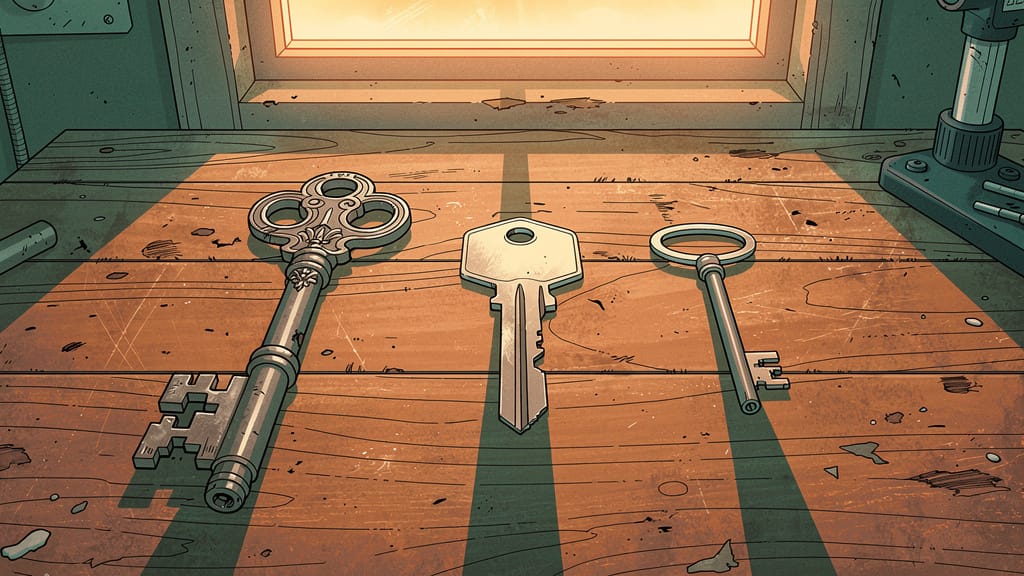
The first category is generative retouching — tools like Photoshop and Luminar Neo that add, remove, and transform elements in a photo. The second is batch workflow tools — Imagen AI and Aftershoot, which learn your personal editing style and process thousands of images at once. The third is repair tools — Topaz Photo AI, which fixes noise, blur, and resolution without generating anything new. A travel photographer buying Imagen AI is buying a batch tool for a generative problem. A wedding studio buying Luminar Neo is buying a finishing tool for a culling problem. That category mismatch is the most expensive mistake in this space.
Three specific traps show up across every tier. Credit walls: Firefly Standard's 2,000 monthly credits disappear fast on a real project, pushing you toward the $29.99/month Pro plan before you've confirmed the tool works for you. JPEG-only constraints: several AI services don't accept RAW files, destroying the time savings on contact. And upsell friction: Luminar Neo's $249 lifetime license is real, but so are the $19 filter packs and persistent subscription pitches that Reddit's photography community has flagged for years. None of these are dealbreakers if you know about them in advance. They are dealbreakers if you discover them after subscribing.
Adobe Photoshop with Generative Fill: The Default Pick
The reason Photoshop earns the top slot isn't the breadth of features — it's one architectural decision: Generative Fill is non-destructive by design. The AI edit lands on a separate pixel layer with Adobe Firefly provenance attached. Rolling back is one click. That single property makes it trustworthy for professional work in a way that most one-click AI tools aren't.
What it handles well: object removal, sky replacement, canvas expansion, and adding elements to a scene — all without touching the original file. The April 2026 update (v27.6) added the ability to select Gemini 3.1 Flash and Flux as alternative generation engines inside Generative Fill. If Adobe's own Firefly model underperforms on a large-region fill or complex lighting change, you can swap to a partner model from the same workspace. Photoshop is increasingly the cross-vendor AI orchestration layer for photo editing, not just an Adobe product.
Two techniques from PHLEARN's working curriculum are worth naming because they don't appear on any marketing page. First, for object removal, leave the text prompt field blank. Counterintuitively, Generative Fill performs better on removal without a directive — the prompt constrains it toward adding something. Second, for large-region fills using partner models, press Command/Ctrl + A to select the entire canvas before applying your prompt. This produces noticeably better blending than a careful manual selection in large-area scenarios.
I have tried with Chat GPT and it gives me very professional looking results but they don't really look like the people in the photos to begin with.
— Reddit user honest_-_feedback, press photographer
Where it bites: Firefly Standard's 2,000 monthly credits can vanish in a busy production week. The $29.99/month Pro plan (7,000 credits) is more realistic for regular use. A separate limitation applies to retouching named subjects — Generative Fill can subtly alter facial proportions in ways that look polished at thumbnail size but don't hold up at print resolution. For press photography or any identity-critical work, use Photoshop's manual healing tools for faces and reserve Generative Fill for backgrounds, objects, and environments. Firefly is trained on licensed Adobe Stock and public-domain content, which is the clearest commercially safe record in the category — relevant if your output ends up in advertising or editorial licensing.
Photoshop as a standalone app runs $22.99/month. Most working photographers will want the Photography Plan at $19.99/month, which bundles Lightroom Classic, Lightroom, and Photoshop. There's a 7-day free trial — enough time to run Generative Fill on a real problem photo and know whether it fits your workflow.
If you're going to invest in Photoshop and Firefly, the skill that multiplies your output fastest is knowing exactly what to type — and what not to type — in the prompt field. A focused prompt engineering course on Udemy pays for itself on the first real project.
Luminar Neo and Topaz Photo AI: The Alternatives That Earn Their Place
Luminar Neo is the right answer if you'd rather pay once and be done. The $249 lifetime cross-device license gets you a legitimately impressive AI tool roster: Sky AI replaces skies with matched lighting in one click, Relight AI uses 3D depth analysis to rescue backlit faces without manual masking, GenErase removes distractions and power lines, GenExpand outpaints the canvas, and Skin AI and Portrait Bokeh AI handle portrait finishing. For travel, landscape, and portrait photographers who want to spend 10 minutes finishing a photo rather than 40 minutes masking one, this is the fastest path to a polished result in the category.
The honest footnote: Reddit's photography community has documented Luminar Neo's upsell friction clearly and persistently. The filter packs at $19 each and the X Membership push are real friction points. Buy the lifetime license, treat the filter packs as optional, and don't buy filters to try the tool. Most of Luminar's strongest AI capabilities are in the base package. It's also not a Lightroom replacement — there's no serious catalog or DAM functionality, so high-volume photographers will still need Lightroom alongside it. Relight AI can produce halos in complex scenes. The tool is best understood as a finishing layer on top of whatever RAW editor you already use.
After using Lovart for a full month, I've come to a disappointing conclusion: it's essentially a gimmick tool designed for people who want to feel like they can design without actual skills.
— Albertkinng, working professional designer
Topaz Photo AI solves a different problem from every other tool here: it fixes photos that are already damaged. Noisy, blurry, low-resolution, shot at high ISO in bad light — its DeNoise, Sharpen, Gigapixel upscaling, Face Recovery, and Autopilot tools are consistently rated highest for repair quality in independent comparisons. The April 2026 NeuroStream update cut VRAM usage by up to 95%, which means it now runs on mid-tier laptops where it previously required a high-end GPU. At $199/year for the Personal tier, it's worth adding to your stack if you shoot in low light, use a small sensor, or work with archival material. No generative features — just the best repair toolkit in the category.
What Actually Works for Free
The free tier landscape in 2026 is messier than it looks. Here's what's genuinely usable at zero cost.
Snapseed is the only honest answer for mobile. Fully free, no ads, no watermarks, no subscription — a combination that's rarer than it sounds. It covers 29 editing tools, handles RAW files on mobile, works offline, and addresses the full range of non-generative adjustments: selective color, healing, curves, portrait retouching, HDR, perspective correction. What it doesn't have is generative AI — no outpainting, no content-aware fill, no AI object removal. For casual phone photography, that gap rarely matters. If you want to try AI generation on your photos, Snapseed isn't the answer. If you want to make your photos look better without paying anyone, it's the only recommendation that holds up.
Photoroom's free tier is worth knowing about for ecommerce use specifically: 250 exports per month, background removal, basic retouch, and template access at $0. Outputs are watermarked on the free tier — that's the honest cost. For sellers testing the tool before committing, this is the right starting point. The upgrade path to Pro at ~$20.99/month removes watermarks and increases batch limits to 500 exports.
Three free tiers to skip: Pixlr's free tier has intrusive ads that interrupt editing at a level multiple reviewers flag as meaningful friction, not a minor annoyance. Firefly's free tier is so credit-limited it functions as a demo, not a working tool. And Luminar Neo has no free tier at all — don't waste time looking for one.
For desktop RAW editing at zero cost, Darktable and RawTherapee are the names. Steep learning curves, no generative AI features, but full RAW control if you're willing to spend days getting comfortable with the interface.
Which One Is Right for You
You edit photos on your phone and want to make them look better without paying anything: Snapseed. Download it, use it indefinitely, no watermarks.
You shoot travel, landscapes, or portraits and want to skip the monthly subscription: Luminar Neo at $249 lifetime. Buy the base package; ignore the filter packs until you know exactly which one you need.
You shoot in low light, at high ISO, or you have old photos that need repair: Add Topaz Photo AI to whatever else you're using. The NeuroStream update means it runs on most modern laptops.
You sell products online and need clean background-removed images: Start with Photoroom's free tier. Upgrade to Pro when the watermark becomes a real problem.
You want full editorial control — object removal, compositing, non-destructive workflow: Adobe Photoshop with Firefly Standard. The 7-day free trial is enough time to test it on a real photo before spending anything.
High-volume wedding and portrait studios are a separate case: Imagen AI (personal-style batch editing, Lightroom Classic only) and Aftershoot (offline, flat-rate, all-in-one) are the two names to research — but they're specialist tools for a specialist workflow and a different decision from what most readers here need.
One thing worth watching: native AI editing is arriving on phones through Samsung Galaxy AI and Apple Intelligence in Photos, which gained major new AI editing features in June 2026. Within 12 to 18 months, your phone's built-in camera app may handle a meaningful slice of what you'd currently pay Luminar Neo or Snapseed to do. The paid tools will need to justify their cost against device-level AI — and the ones that survive will be the ones that go deeper than one-click finishing.
Recommended Tools & Resources
The Complete Prompt Engineering for AI Bootcamp
Practical 22-hour bootcamp covering prompt engineering for GPT-4, image generation, and real-world AI tool usage — with 15+ hands-on projects.
Midjourney For Beginners: Creating Visuals Using AI
The most popular Midjourney course on Udemy with 51K+ students — covers AI image generation from basics to professional-quality visuals, logos, and social media graphics.
Gamma
Create polished presentations, documents, and websites with AI — from blank slide to finished deck in minutes.


